CHERAMORE








In response to the question and (silly) complaints about the sound quality in the mod...
- With high-quality music tracks in the mod, the total size of the mod files will be over 10 gigabytes, I hope this is a comprehensive answer.
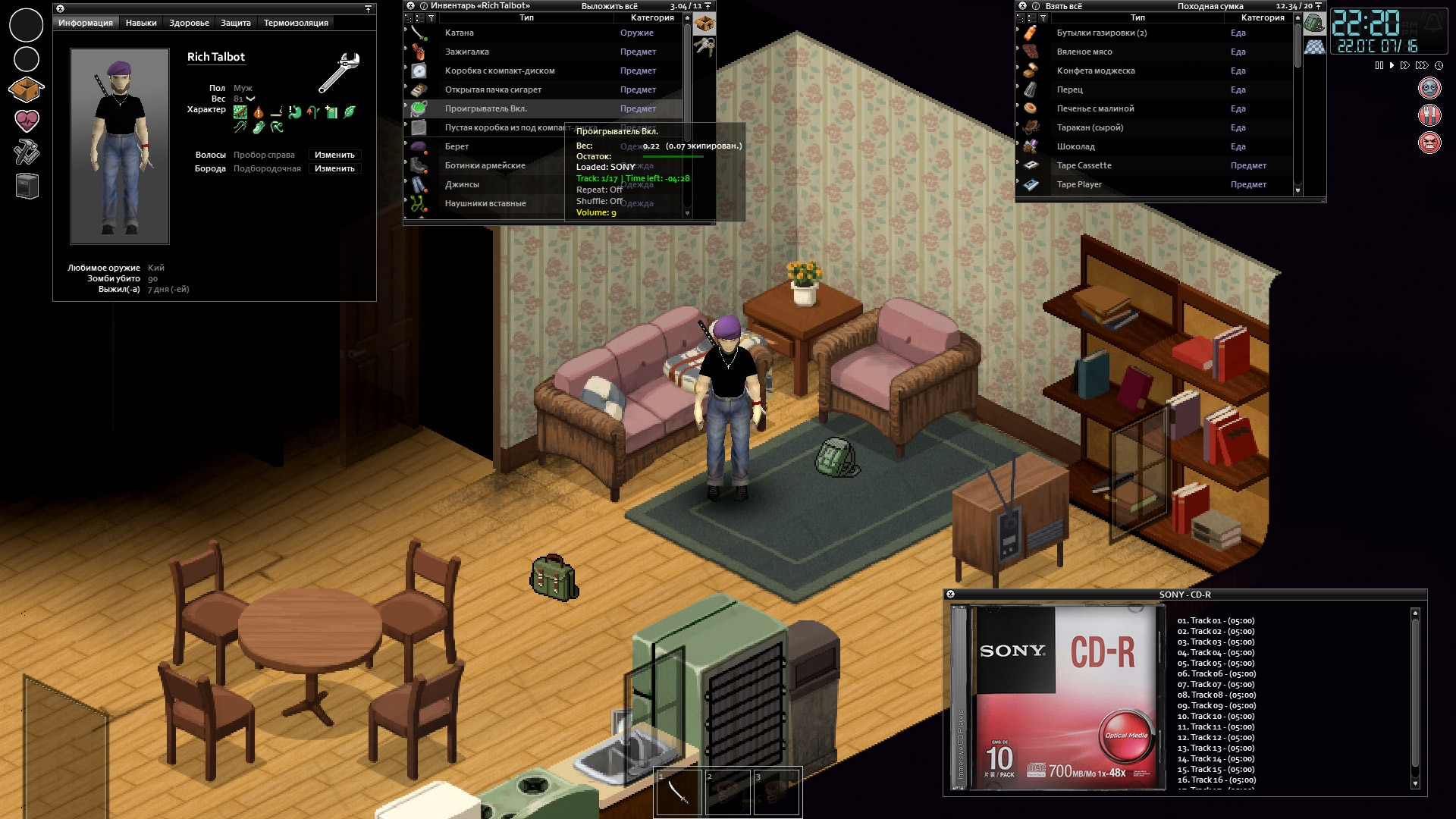
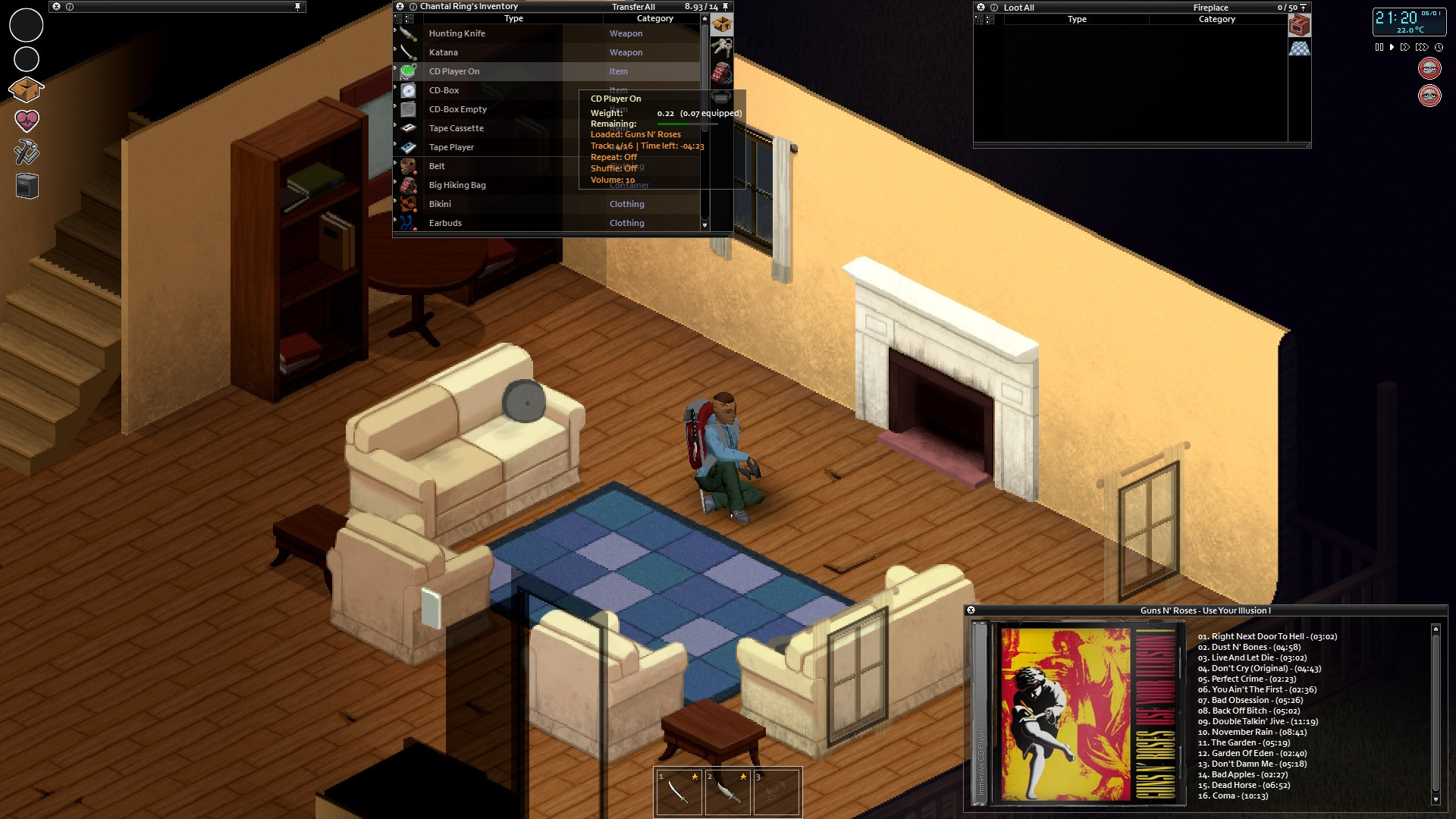
Description:
• Right click (context menu) on a vanilla CD > Inspect CD - Converts a vanilla CD to a playable music CD.
• Right click (context menu) on Battery > Insert Battery into vanilla CD player. This will convert the vanilla player to a usable music player.
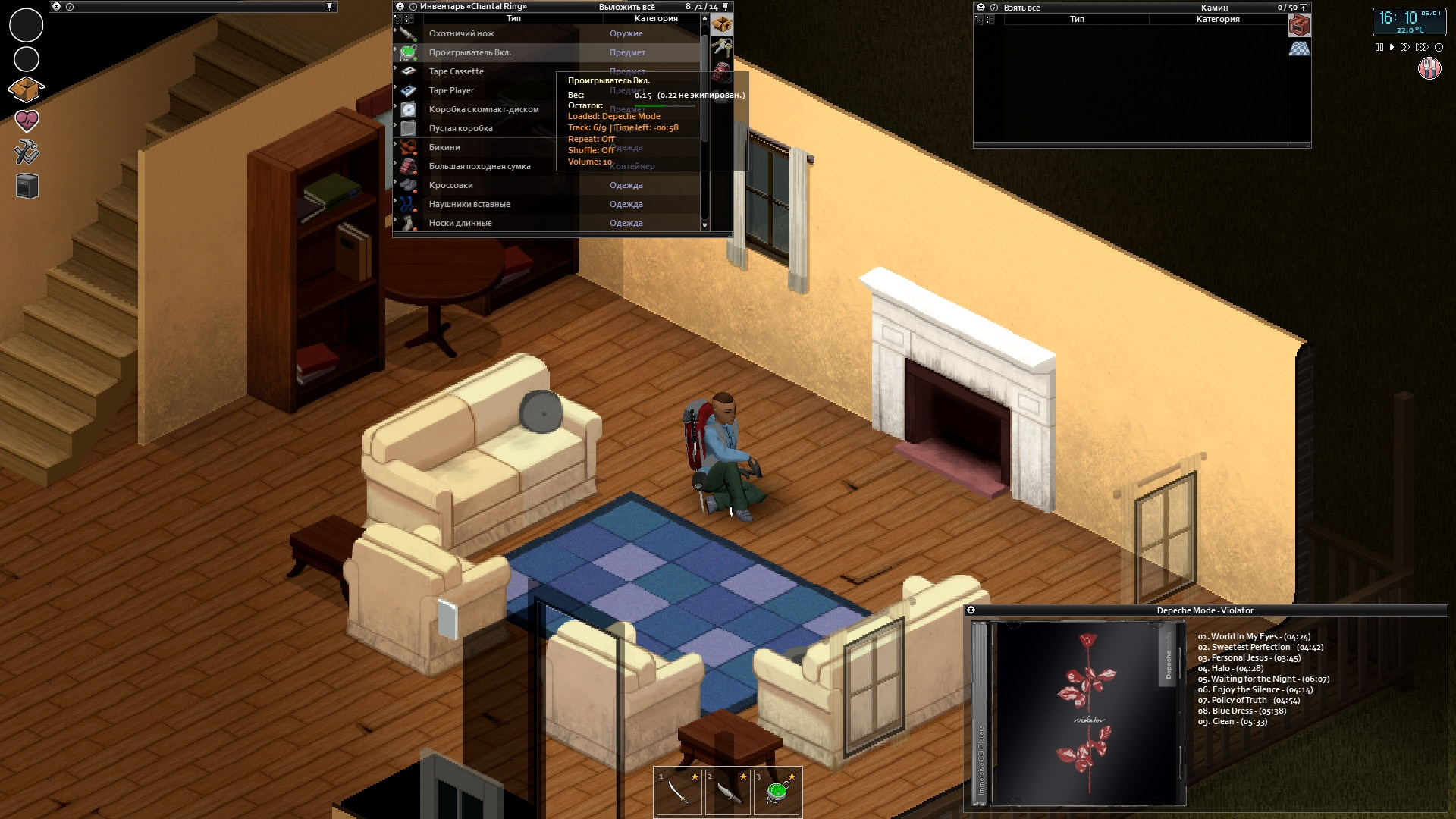
• Context menu on the CD box - you will get comprehensive information about the disc (you will see the cover, numbers, titles and duration of the tracks).
• The CD box viewing window "remembers" its location on the screen if you moved the window to a convenient place for you.
• To search for Russian music, you must have a Silver Necklace with Crucifix in your inventory (relevant only for players with non-Russian localization).
• In the dark, the character will not see the information - on the CD box.
• For playback, the CD player must be in the main inventory.
• In a fight with a zombie - equipped Earbuds can fly off the character's head.
• The sound is played only for the character, other players and zombies do not hear it.
• Listening to music reduces boredom and unhappiness.
• A deaf character will not hear music and will not receive a mood improvement.
• When you turn on the CD player, the volume of the background music (vanilla) is automatically reduced to zero, and returns to the previous level (which was before it was turned on) when the CD player is turned off.
• The "Music Lover" trait increases the battery life of your CD player by 100%.
• When using the time boost in the game - the battery consumption of the switched-on CD player - will also be consumed with the acceleration.
• Battery consumption is calculated differently for different game day lengths relative to real time.
• Volume control - The volume level can be selected from the context menu, or by pressing - [Up Arrow] / [Down Arrow] keys (can be changed in the game settings). By default, the volume of the CD player is set to 50% (when installing or replacing the battery). The CD player will remember the volume you set if you did not remove the battery.
• You can switch the playing tracks - previous and next, when the last track on the disc ends, the first track will automatically start playing.
• Switching tracks keys - [Arrow Left] / [Arrow Right] (can be changed in the game settings).
• You can turn On/Off track repeat and turn On/Off shuffle mode.
• You can hang the CD player on your belt and switch tracks without removing it from the belt.
• The CD player will remember the track you pressed the Stop button on and will continue playing from that track - provided that you have not ejected the disc, removed the battery, and are not dead.
• Right click (context menu) on Battery > Insert Battery into vanilla CD player. This will convert the vanilla player to a usable music player.
• Context menu on the CD box - you will get comprehensive information about the disc (you will see the cover, numbers, titles and duration of the tracks).
• The CD box viewing window "remembers" its location on the screen if you moved the window to a convenient place for you.
• To search for Russian music, you must have a Silver Necklace with Crucifix in your inventory (relevant only for players with non-Russian localization).
• In the dark, the character will not see the information - on the CD box.
• For playback, the CD player must be in the main inventory.
- Do not use more than one CD player in your inventory at the same time, this will cause errors.
• In a fight with a zombie - equipped Earbuds can fly off the character's head.
• The sound is played only for the character, other players and zombies do not hear it.
• Listening to music reduces boredom and unhappiness.
• A deaf character will not hear music and will not receive a mood improvement.
• When you turn on the CD player, the volume of the background music (vanilla) is automatically reduced to zero, and returns to the previous level (which was before it was turned on) when the CD player is turned off.
• The "Music Lover" trait increases the battery life of your CD player by 100%.
• When using the time boost in the game - the battery consumption of the switched-on CD player - will also be consumed with the acceleration.
• Battery consumption is calculated differently for different game day lengths relative to real time.
• Volume control - The volume level can be selected from the context menu, or by pressing - [Up Arrow] / [Down Arrow] keys (can be changed in the game settings). By default, the volume of the CD player is set to 50% (when installing or replacing the battery). The CD player will remember the volume you set if you did not remove the battery.
• You can switch the playing tracks - previous and next, when the last track on the disc ends, the first track will automatically start playing.
• Switching tracks keys - [Arrow Left] / [Arrow Right] (can be changed in the game settings).
• You can turn On/Off track repeat and turn On/Off shuffle mode.
• You can hang the CD player on your belt and switch tracks without removing it from the belt.
• The CD player will remember the track you pressed the Stop button on and will continue playing from that track - provided that you have not ejected the disc, removed the battery, and are not dead.